Plus Menu
The Plus menu provides quick access to common creation actions in WebAdmin. From this menu, you can create users, groups, mailing lists, resources, static routes, and domains.
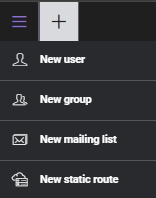
Figure 1. Plus menu in WebAdmin.
Available actions
| Action | Description |
|---|---|
| New user | Create a new user account, assign a plan, and set login credentials. |
| New group | Create a new group for shared settings and easier account management. |
| New mailing list | Create a mailing list for distributing messages to multiple recipients. |
| New static route | Create a routing-only address for processing messages on the server. |
New user
Select New user to create a new user account. In the dialog, choose a plan, enter the user details, and click Save.
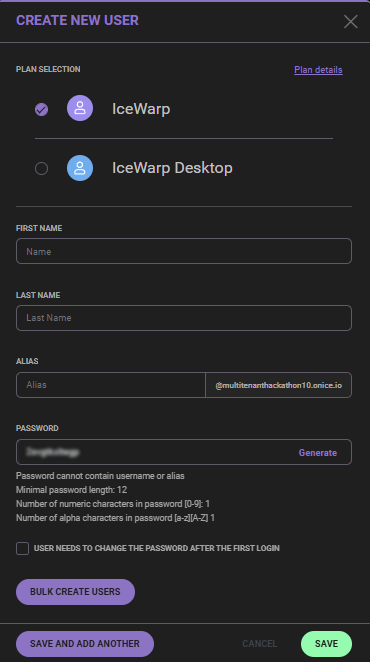
Figure 2. Create New User dialog.
New group
Select New group to create a new group. Enter the group name and alias, then click Save.
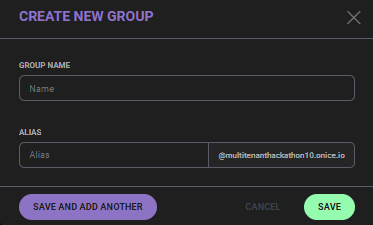
Figure 3. Create New Group dialog.
New mailing list
Select New mailing list to create a new mailing list. Enter the alias, choose the source type, and click Save.
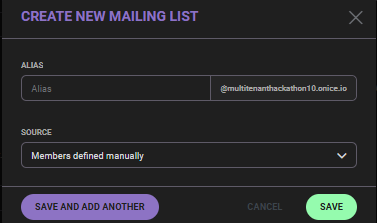
Figure 4. Create New Mailing List dialog.
New static route
Select New static route to create a static route. Enter the description and alias, then click Save.
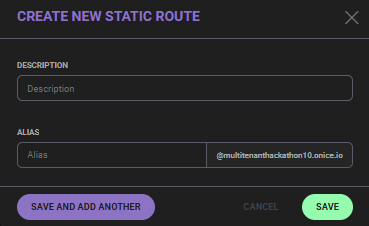
Figure 5. Create New Static Route dialog.
Note:
After creating an item, you may be redirected to its configuration page for additional setup.
Next steps
Explore related sections:
← Back to WebAdmin portal

